
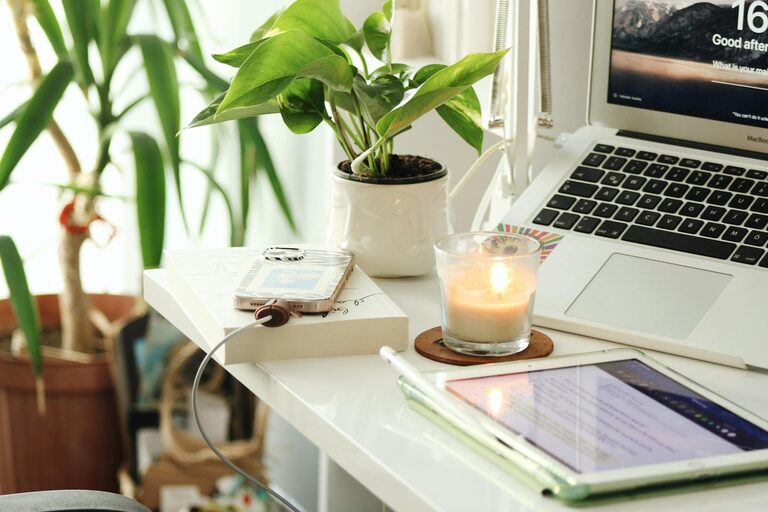
Creating a cozy and productive home office is essential for anyone working remotely or managing tasks from home. A well-designed workspace can improve focus, reduce stress, and make daily work more enjoyable. Whether you have a dedicated room or just a small corner, these tips will help you craft an office space that meets your needs and feels welcoming.
Choose the Right Location
Selecting the best spot for your home office sets the foundation for a productive environment.
– Natural Light: Position your desk near a window if possible. Natural light can boost mood and reduce eye strain.
– Quiet Area: Find a place with minimal noise and distractions, especially if you will be attending virtual meetings or making calls.
– Space Availability: Make sure the area has enough room for your desk, chair, and any other equipment you need without feeling cramped.
Invest in Comfortable and Supportive Furniture
Comfort plays a big role in how productive and happy you are throughout the day.
– Ergonomic Chair: Choose a chair that supports your lower back and encourages proper posture.
– Adjustable Desk: If possible, use a desk that allows you to switch between sitting and standing to improve circulation.
– Proper Desk Height: Your desk should allow your elbows to rest at a 90-degree angle for typing and writing.
Organize for Efficiency
A clutter-free space helps reduce distractions and keeps your mind focused.
– Storage Solutions: Use shelves, drawers, or filing cabinets to keep paperwork and supplies organized.
– Declutter Regularly: Set aside time each week to tidy the workspace and remove unnecessary items.
– Cord Management: Keep cables organized with clips or sleeves to avoid tangles and hazards.
Personalize Your Space
Adding personal touches can make your home office feel cozy and motivating.
– Decor: Include art, photos, or plants that inspire you.
– Color Scheme: Choose colors that evoke calmness or creativity, like soft blues, greens, or warm neutrals.
– Lighting: Add a desk lamp with adjustable brightness for work that extends into the evening.
Optimize Technology Setup
Ensure your equipment supports productivity without causing frustration.
– Reliable Internet: A strong Wi-Fi connection or wired Ethernet can prevent interruptions.
– Quality Equipment: Invest in a good monitor, keyboard, mouse, and headset if you attend frequent meetings.
– Backup Power: Consider a surge protector or UPS for sensitive devices.
Create Daily Routines and Boundaries
Structure your day to maintain balance and focus.
– Set Working Hours: Define when your workday starts and ends to avoid burnout.
– Break Reminders: Use timers or apps to remind you to take short breaks for movement and rest.
– Separate Work and Leisure: Try to keep your office space just for work, so you can mentally “leave” when the day ends.
Enhance Air Quality and Comfort
A comfortable atmosphere contributes to better concentration and health.
– Ventilation: Open windows or use fans for fresh air circulation.
– Plants: Indoor plants can improve air quality and create a pleasant environment.
– Temperature Control: Keep the room at a comfortable temperature with heaters or air conditioning as needed.
Make Use of Sound Control
Noise can be a major distraction, so managing sound is important.
– Noise-Canceling Headphones: Good for blocking background sounds during focused work or calls.
– Soft Furnishings: Carpets, curtains, and cushions help absorb sound and reduce echo.
– White Noise Machines: These can provide consistent background sounds that help some people concentrate.
Final Thoughts
Designing a cozy and productive home office doesn’t require a complete overhaul or expensive purchases. By carefully choosing your location, investing in comfort, staying organized, and personalizing your space, you can create an environment that supports your work goals and wellbeing. Experiment with these tips and adjust based on what makes you feel both comfortable and motivated. Your ideal home office awaits!